
Tech365 started in 2010 doing website development for small businesses. The work was hands on and practical, focused on helping companies get online and maintain a professional presence.
As those relationships grew, so did the type of work we were asked to support. Website projects often led to technology questions, onsite support, and requests for help with everyday systems. Over time, that work expanded into general tech support, cabling, and onsite installations for small businesses that needed reliable help.
Growth happened naturally. Most new work came through word of mouth and referrals, driven by long term relationships and trust built over time. As technology became more central to daily business operations, the need for consistent and ongoing support became clearer.
We gradually shifted toward providing broader IT support, focusing less on one off fixes and more on keeping systems running day to day. That shift shaped how we operate today and how support is delivered.
Now, our work centers on ongoing IT support for small businesses, with an emphasis on consistency, planning, and keeping technology working as expected. The approach has evolved, but the foundation remains the same. Practical support, clear communication, and steady growth built over time.

Tech365 started in 2010 doing website development for small businesses. The work was hands on and practical, focused on helping companies get online and maintain a professional presence.
As those relationships grew, so did the type of work we were asked to support. Website projects often led to technology questions, onsite support, and requests for help with everyday systems. Over time, that work expanded into general tech support, cabling, and onsite installations for small businesses that needed reliable help.
Growth happened naturally. Most new work came through word of mouth and referrals, driven by long term relationships and trust built over time. As technology became more central to daily business operations, the need for consistent and ongoing support became clearer.
We gradually shifted toward providing broader IT support, focusing less on one off fixes and more on keeping systems running day to day. That shift shaped how we operate today and how support is delivered.
Now, our work centers on ongoing IT support for small businesses, with an emphasis on consistency, planning, and keeping technology working as expected. The approach has evolved, but the foundation remains the same. Practical support, clear communication, and steady growth built over time.
Tech365 supports businesses across Central Indiana with technology that is built to be reliable, secure, and easy to manage. We focus on practical solutions that reduce risk and support steady growth.

Layered security measures that help protect your systems, data,and network from internal risks and external threats
We plan ahead and protect systems from the start so issues are prevented and security stays strong as technology changes.

Our support is designed to scale smoothly, support smart growth, and deliver consistent results as your business evolves.

We provide dependable local support in Indiana that businesses can rely on for clear communication and steady results.

To support businesses with reliable technology that reduces frustration, protects what matters, and helps teams work confidently.
To build lasting partnerships across Indiana by helping businesses feel supported, prepared, and confident about what comes next.
To lead with integrity, communicate clearly, and build long-term relationships rooted in trust, accountability, and consistency.
Our values define how we show up for our clients and our community. They guide our decisions, our communication, and the way we build long-term partnerships.

We listen first, respond clearly, and make decisions based on what truly supports our clients and their day-to-day operations.
We take pride in doing the work the right way, maintaining high standards across our systems, support, and service delivery.
We act honestly, communicate openly, and stand behind our recommendations, even when it is not the easiest path.
We stay curious, adapt as technology changes, and welcome new ideas that help our clients work more effectively.
We value different perspectives, treat people thoughtfully, and build partnerships grounded in professionalism and trust.
We believe strong businesses support strong communities and invest time and resources where we live and work.
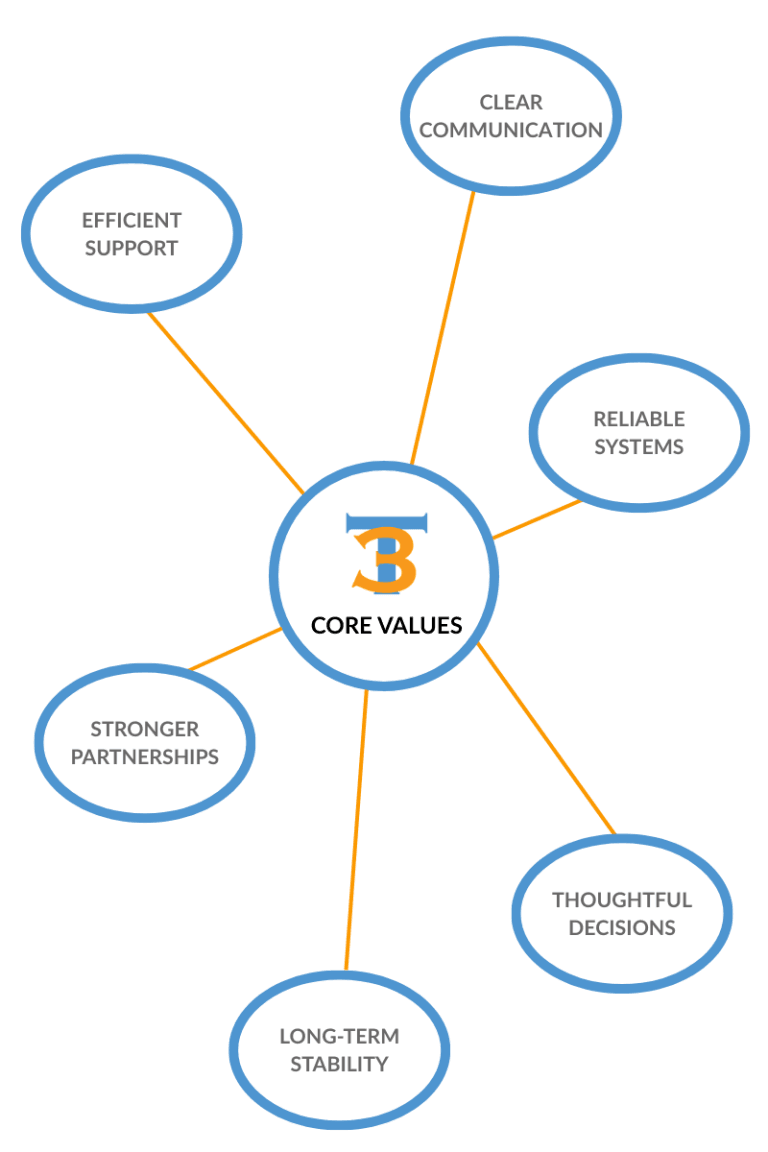
We listen first, respond clearly, and make decisions based on what truly supports our clients and their day-to-day operations.
We take pride in doing the work the right way, maintaining high standards across our systems, support, and service delivery.
We act honestly, communicate openly, and stand behind our recommendations, even when it is not the easiest path.
We stay curious, adapt as technology changes, and welcome new ideas that help our clients work more effectively.
We value different perspectives, treat people thoughtfully, and build partnerships grounded in professionalism and trust.
We believe strong businesses support strong communities and invest time and resources where we live and work.
EXCELLENTTrustindex verifies that the original source of the review is Google. AWESOME AWESOME AWESOME + AWESOME!!! He could do what Apple Store AND Apple Support could NOT do, or didn't care/want to do which is what I suspect. Very patience with me, since I'm older. REALLY REALLY REALLY knows his stuff! He's a tech wizard!!!! Do not hesitate for one second to hire him. (He came to my house) AWESOME!!!!Posted onTrustindex verifies that the original source of the review is Google. These guys were great to work with. They really went above and beyond looking out what was in the company I where I works best interest. I Look forward to possibly working more with them in the new year.Posted onTrustindex verifies that the original source of the review is Google. I highly recommend Brandon and his company! We have a small business and all our issues with computer printer/fax/scan were resolved efficiently. The knowledge and professionalism was more than our expectations.Posted onTrustindex verifies that the original source of the review is Google. Brandon Is quick to respond, very eager, and look forward to working with him again!Posted onTrustindex verifies that the original source of the review is Google. My experience was AMAZING with Brandon at tech365. I had called other tech companies in the area and remembered the gym I work at got some help from tech365 so I called them up. Brandon was able to come onsite and fix the problem in about fifteen minutes. (mind you I had been calling other places for about a week and no one could fix it) It saved us so much time and he was so nice and easy to work with. I will definitely be hiring him in the future and recommending him to everyone.Posted onTrustindex verifies that the original source of the review is Google. Seriously amazing and will be working with him in the future! Brandon was so helpful and knew exactly what he was doing. I had spent a week working on fixing the printer and he came in and was able to fix our connection in less then 10 minutes. Save me so much time and brain power. We will forever be using him as our tech guy!Posted onTrustindex verifies that the original source of the review is Google. I can't recommend this company enough! Kudos to Brandon for operating a 5-star organization!Posted onTrustindex verifies that the original source of the review is Google. The level of hard work and attention to detail he delivers is unmatched. Tech 365 has been a tremendous help to my business, and I truly value the support and professionalism they provide.Posted onTrustindex verifies that the original source of the review is Google. He recently completed a project for my small business and did an excellent job from start to finish. His attention to detail, professionalism, and commitment to quality really stood out. I’m very satisfied with the outcome and would gladly work with him again.Posted onTrustindex verifies that the original source of the review is Google. A friend recommended Tech365 to me so i gave them a try for my small start up shop, I'm amazed how quick and efficient they did their job.

We review your environment, learn your goals, and identify risks & roadblocks that hold your business back.

We design a clear technology plan that fits your budget, supports growth, and strengthens your systems.

We deploy the right tools, handle setup and training, and ensure everything runs smoothly from day one.

We monitor systems, apply updates, test backups, and coach users so issues are stopped before they start.
Start with a complimentary consultation to talk through your technology and see how Tech365 can support your business.
Have a question or need help? Drop us a note below and we'll be in touch soon.
When a shared printer stops working, there can be several possible causes, and it often takes a few checks to identify the issue.
Here is how we typically approach printer problems in an office setting:
✓ Checking how the printer is connected and who is affected
✓ Reviewing printer status, errors, and queued jobs
✓ Confirming computers are pointing to the correct printer
✓ Updating or reinstalling printer software if needed
✓ Testing printing once changes are made to confirm results
Opening a suspicious link does not always mean something is wrong, but it is worth a security check.
Here is how we typically help recover files and protect data going forward:
✓ Identifying what data is missing and where it was last stored
✓ Checking available backups and recovery points
✓ Attempting safe file recovery without causing further damage
✓ Confirming what can and cannot be restored
✓ Putting backup and disaster recovery protections in place for the future
Opening a suspicious link does not always mean something is wrong, but it is worth a security check.
Here is how we typically make sure systems remain secure:
✓ Checking the affected device for any unusual activity
✓ Confirming email, account access, and passwords are still protected
✓ Reviewing recent activity to ensure nothing unexpected occurred
✓ Removing anything unsafe if it is found
✓ Helping reduce future risk by implementing simulated phishing emails
Server outages happen, and there are clear steps we take to restore access and minimize disruption.
Here is how we typically help get teams back up and running:
✓ Identifying what caused the outage and how widespread it is
✓ Bringing critical systems and access back online safely
✓ Checking data integrity to make sure nothing was lost or corrupted
✓ Reviewing server health to prevent repeat issues
✓ Putting safeguards in place to reduce future downtime
When Wi-Fi goes in and out, it is usually tied to a few common setup or signal issues.
Here are some of the things we look at to help get Wi-Fi working more consistently:
✓ Making sure Wi-Fi coverage reaches all the areas you need it
✓ Checking for signal interference from nearby devices or networks
✓ Reviewing router placement and basic configuration
✓ Confirming equipment and software are current
✓ Helping reduce ongoing connection problems over time
Slow computers are usually caused by a few common issues, and they are typically fixable.
Here is how we typically help with slow computer issues:
✓ Removing unnecessary background programs and system clutter
✓ Freeing up storage that can slow performance
✓ Fixing update or software conflicts
✓ Checking hardware for early signs of wear
✓ Keeping systems maintained to help prevent future slowdowns